Best Fiber Laser for a Small Business
Not every business needs a MOPA laser. If your work is black marking on metal — tumblers, tools, tags, promotional products, industrial parts — a standard fiber laser does that job to the same standard for meaningfully less money. MOPA’s advantages are real, but they’re specific, and paying for them when you don’t use them is one of the more common expensive mistakes in this niche.
This guide covers what to buy if colour engraving isn’t part of your product line, and how to tell when it’s time to step up.
Fiber vs MOPA — The Short Version
A standard fiber laser fires at a fixed pulse duration. It’s fast, reliable, and excellent at clean black marking on stainless steel, aluminium, brass, and titanium. That covers the large majority of commercial engraving work.
A MOPA laser lets you adjust pulse duration. That single capability unlocks two things: colour on stainless, and finer control over how much material you remove per pass. You pay roughly $1,000–$2,000 for it.
The question isn’t which is better. It’s whether the products you intend to sell require an adjustable pulse. If they don’t, that money is better spent on extraction, a rotary, material, and marketing.
What to Actually Check Before Buying
- Work area vs your largest product. Measure the biggest thing you plan to engrave and check it fits with room to position. Undersized beds are the most common regret.
- Laser source. JPT, Raycus and MAX are the sources you’ll see most; a listing that won’t name its source is telling you something.
- Rotary compatibility. If tumblers or rings are in your plan, confirm the rotary is supported and find out what it costs. It’s usually sold separately.
- Software. LightBurn support is worth paying attention to — it’s what most of the community uses, which means most of the tutorials assume it.
- Enclosure and safety. Fiber lasers run at 1064nm, which is invisible. An open-frame machine needs proper enclosure and rated eyewear, not ordinary safety glasses.
- Warranty and support location. Where the support desk is determines how long a fault costs you.
Top Picks by Budget
| Machine | Power | Best For | Approx. Price |
|---|---|---|---|
| xTool F1 Ultra | 20W fiber + 20W diode | Businesses working metal and wood/leather | $1,700–$2,200 |
| ComMarker B4 | 20W fiber | Budget-conscious metal, plastic, leather | $1,000–$1,500 |
| Gweike G2 Max | 50W fiber | Faster production on stainless and aluminium | $2,500–$3,200 |
These are picks based on published specifications, pricing and intended use case — not on machines we’ve personally run. Treat them as a shortlist to research, not a substitute for your own diligence.
xTool F1 Ultra
Pros
- Dual laser covers metal and organic materials without a second machine
- Fast — up to 10,000 mm/s
- Built-in camera for precise placement
- Strong tutorial and community coverage
Cons
- No MOPA colour engraving
- Smaller work area than dedicated production machines
- Dual-source convenience costs more than a single-purpose machine
Matching the Machine to What You Sell
| What you plan to sell | What you need |
|---|---|
| Black-marked tumblers, tags, tools | Standard fiber, 20–50W |
| Wood, acrylic and leather goods | CO2 — fiber won’t do this well |
| A mix of metal and organic materials | Dual-source machine, or two machines |
| Colour-engraved stainless | MOPA — no standard fiber does this |
| Deep industrial or tool marking | Higher wattage, 60W and up |
Budget the Whole Setup, Not the Machine
The machine is usually 60–75% of what you actually spend to become operational. Plan for:
- Fume extraction: $200–$1,000 — not optional when marking metal
- Rotary attachment: $200–$500 if anything cylindrical is in your line
- 1064nm-rated safety eyewear: $50–$150
- Test and production material: $300–$1,000
- Software: $0–$600/year depending on your choice
A $1,500 machine realistically becomes a $2,500–$3,000 setup. Knowing that upfront is better than discovering it after the laser arrives.
When to Upgrade to MOPA
Three signals mean the standard fiber laser has become a limitation rather than a saving:
- Customers keep asking for colour. When you’re turning down paid work you could otherwise take, the upgrade is being funded by demand rather than optimism.
- You’re moving into jewellery or fine detail. MOPA’s pulse control gives you finer command over depth on small, intricate pieces.
- You need shallow marks without discolouration. On thin or heat-sensitive stock, adjustable pulse gives you control a fixed pulse can’t.
Notice that all three are triggered by work you already have. Upgrading because a machine looks better on paper is how equipment budgets disappear. When one of these applies, the 60W MOPA comparison is the next stop.
Common Questions
Can a fiber laser engrave wood or acrylic?
Not usefully. At 1064nm, organic materials largely don’t absorb the beam. You need CO2 for wood, acrylic and leather, or a dual-source machine like the F1 Ultra.
Is 20W enough to run a business?
For black marking on metal, yes — plenty of working shops run 20W. Higher wattage buys speed and depth, not mark quality. If your volume is low, 20W is a sound starting point.
Do I need an enclosure?
You need either an enclosure or a controlled, marked-off area with rated eyewear for everyone present. The 1064nm beam is invisible and reflects off the metal you’re marking. This is the corner not to cut.
Will a cheap machine off a marketplace listing work?
Sometimes. The risk isn’t the hardware so much as what happens when it fails — no support desk, no parts, no warranty you can enforce. Factor that into the price difference before deciding it’s a bargain.
Where to Go Next
- MOPA Laser Engraver Buying Guide — start here if you haven’t bought yet
- Best 60W MOPA Fiber Lasers
- ComMarker B6 vs Haotian 60W MOPA
- How to Start a Laser Engraving Business
Which laser is right for your work?
Answer three questions. I'll point you at the machine that actually fits.
1. What are you marking most?
2. What matters most?
3. Your budget?
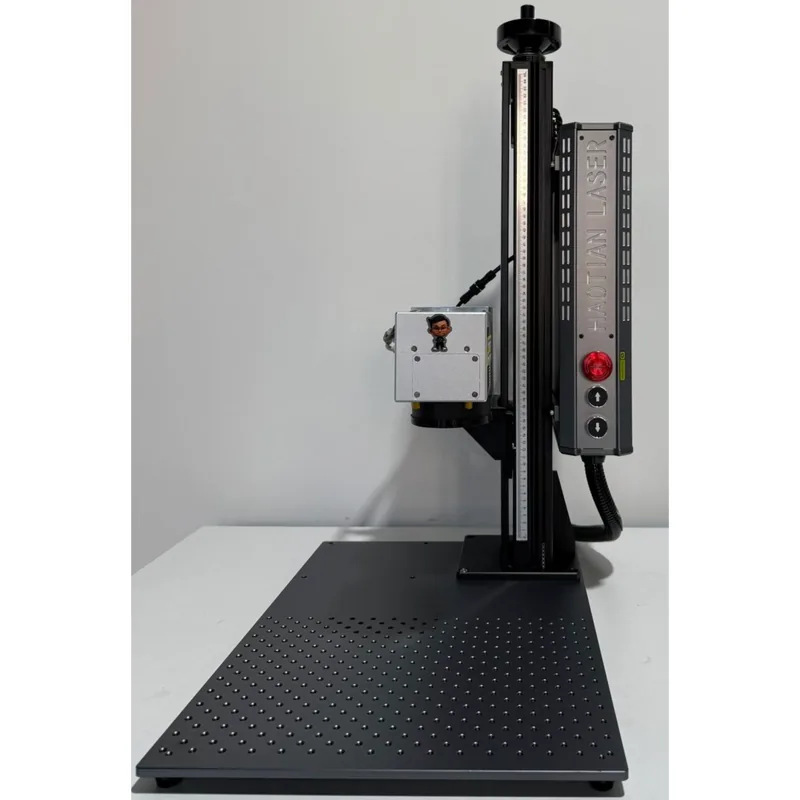
Haotian 50W JPT M8 MOPA Fiber Laser
4.9The 60W JPT M7 source is the colour-marking benchmark. Deepest engraving of the three MOPA picks.
- 60W JPT M7 MOPA source
- Full colour marking on stainless
- 1-500ns adjustable pulse width
- Deep engraving and annealing in one machine