
Spec sheets for MOPA fiber laser engravers are full of numbers that don’t matter much and are quiet about the ones that do. This is a checklist of what to actually verify before you spend $2,000–$8,000, written for buyers, not engineers.
1. Confirm It’s Actually MOPA
This is the first thing to check, and it catches people out. Plenty of listings say “fiber laser” with MOPA-style marketing photos showing colored stainless steel, but the machine is a standard Q-switched fiber laser that physically cannot produce those results.
The tell is adjustable pulse width. A real MOPA machine lets you set pulse duration independently, usually somewhere in a range like 2–500 nanoseconds. If the spec sheet doesn’t list an adjustable pulse width range, it isn’t a MOPA. Ask the seller directly before buying.
2. Check the Laser Source Brand
The laser source is the heart of the machine and the single most expensive component. JPT is the most common source in this price bracket, and their M7 series shows up in a large share of 30W–100W MOPA machines. Other names you’ll see include Raycus and IPG.
What matters here is that the source is named at all. A listing that won’t tell you whose laser source is inside is a listing to walk away from, because that’s the part that determines both engraving quality and how easy the machine is to service in three years.
3. Match Wattage to Your Actual Work
| Wattage | Typical price | Best suited to |
|---|---|---|
| 20–30W | $1,500–$2,500 | Jewelry, small detailed parts, light-duty marking |
| 50–60W | $2,500–$4,500 | Most small businesses the common sweet spot |
| 100W+ | $4,500–$8,000 | Production volume, deep engraving, industrial parts |
More wattage does not mean a better-looking mark. It means faster cycle times and deeper cuts. We break this down properly in our 100W MOPA guide and our 60W comparison.
4. Check the Working Area and the Lens
The working area is set by the lens, and it’s a trade-off most first-time buyers don’t know about. A larger lens gives you a bigger engraving field but a slightly less concentrated spot, which means less fine detail and less effective depth. A smaller lens gives you sharper, deeper marks in a smaller field.
A common setup is a 110mm × 110mm field for detail work and a 175mm × 175mm or 200mm × 200mm field for larger pieces. Some machines ship with two lenses so you can swap. If you plan to engrave both jewelry and larger flat items, that flexibility is worth paying for.
5. Budget for the Accessories You’ll Actually Need
The machine price is not the total price. The three things most buyers underestimate:
- Rotary attachment—required for anything cylindrical: tumblers, rings, bracelets, bottles, pens. If you plan to sell drinkware or jewelry, this isn’t optional
- Fume extraction—engraving metal produces fine particulate you shouldn’t be breathing. Budget a few hundred dollars minimum
- Enclosure and eye protection—fiber laser wavelengths are invisible and dangerous to eyes. Proper 1064 nm-rated glasses are non-negotiable, and an enclosure is strongly recommended
6. Verify Software Compatibility
Most fiber and MOPA systems run EZCAD2, which typically ships with the machine. LightBurn also supports many galvo fiber lasers and is worth checking for if you’re already using it on another machine. Before you buy, confirm which software the machine runs and whether the license is included or extra.
7. Ask About Warranty and Support Location
Warranty length varies a lot, anywhere from one to three years depending on the seller. More important than the length is where support lives. A machine with U.S.-based support and stocked replacement parts will get you running again far faster than a cheaper import where every service question is a two-week email chain across time zones.
Red Flags in a Listing
Most bad MOPA purchases are avoidable, and they tend to announce themselves in the listing. That’s the reason for the MOPA Laser Engraver Buying Guide. Walk away, or ask hard questions, if you see any of these:
- No named laser source. Covered above, and it’s the biggest one. The source is most of the machine’s value and all of its serviceability.
- Color engraving photos with no adjustable pulse width in the specs. Those two things cannot both be true. One of them is marketing.
- A price far below everything comparable. In this bracket, a machine priced 40% under the field usually differs in source quality, warranty, or what’s actually in the box.
- No stated warranty length. “Warranty included” without a number is not a warranty.
- Stock photography only. A seller with no real photos of the actual machine may not be holding stock.
- No answer on software licensing. Find out whether the license is included before you pay, not after.
The Learning Curve Nobody Budgets For
Every guide covers the price of the machine. Almost none covers the cost of learning to use it, and for MOPA specifically, that cost is real.
Color engraving on stainless is not a setting you switch on. It’s a combination of pulse width, frequency, speed, and power, and the right combination is different for each grade and finish of steel you work with. Getting a repeatable blue takes most people several sessions and a meaningful pile of scrapped test pieces.
This isn’t an argument against MOPA. It’s an argument for budgeting $150–$400 of test material and a few weekends before you promise a customer color work. Buyers who plan for that get through it fine. Buyers who expected it to work out of the box are the ones who end up selling the machine. That’s some of the many reasons MOPA Laser Engraver Buying Guide helps interested people make the right choices.
Before you pay, confirm these five things
Verify
- Adjustable pulse width range (proves it’s MOPA)
- Named laser source brand
- Lens size and working area
- Warranty length and support location
- What’s actually in the box
Budget separately for
- Rotary attachment
- Fume extraction
- Rated eye protection
- Software license (if not included)
Common Questions
Is a MOPA laser worth it over a standard fiber laser?
It depends on one thing: whether you’ll sell color-engraved metal or fine-detail work. If yes, MOPA is the only option, and the premium is justified by what you can charge. If your work is black marking on metal, a standard fiber laser produces the same quality for $1,000–$2,000 less. Our fiber laser guide covers that case.
What wattage should I buy?
60W suits most small businesses. 20–30W is enough for jewelry and small detailed pieces. 100W is for daily production volume or deep marking. Wattage affects speed and depth, not how clean the mark looks.
How long does a MOPA laser last?
Laser sources in this class are typically rated in the region of 100,000 hours, which is far longer than most small businesses will run one. The parts that actually fail first tend to be fans, boards, and lenses, which is exactly why warranty length and support location matter more than the headline hour rating.
Can I engrave wood or acrylic with a MOPA?
Not usefully. MOPA is a fiber laser at 1064 nm, and organic materials largely don’t absorb that wavelength. You’d need a CO₂ machine or a dual-source setup for wood, acrylic, and leather.
What does a complete setup really cost?
Take the machine price and add roughly $750–$2,650 for extraction, a rotary, rated eyewear, and test material. A $2,500 machine is realistically a $3,300–$5,100 setup. Planning for that upfront is better than finding out after delivery.
Should I buy from a marketplace listing or a dealer?
Both can work. The difference shows up when something breaks: a dealer with local support and stocked parts gets you running again in days, whereas a marketplace import can mean weeks of email across time zones. Weigh that against the price gap rather than ignoring it.
<meta name='impact-site-verification' value='962d654a-387c-4e92-9433-8b6d129ddd72'>Which laser is right for your work?
Answer three questions. I'll point you at the machine that actually fits.
1. What are you marking most?
2. What matters most?
3. Your budget?
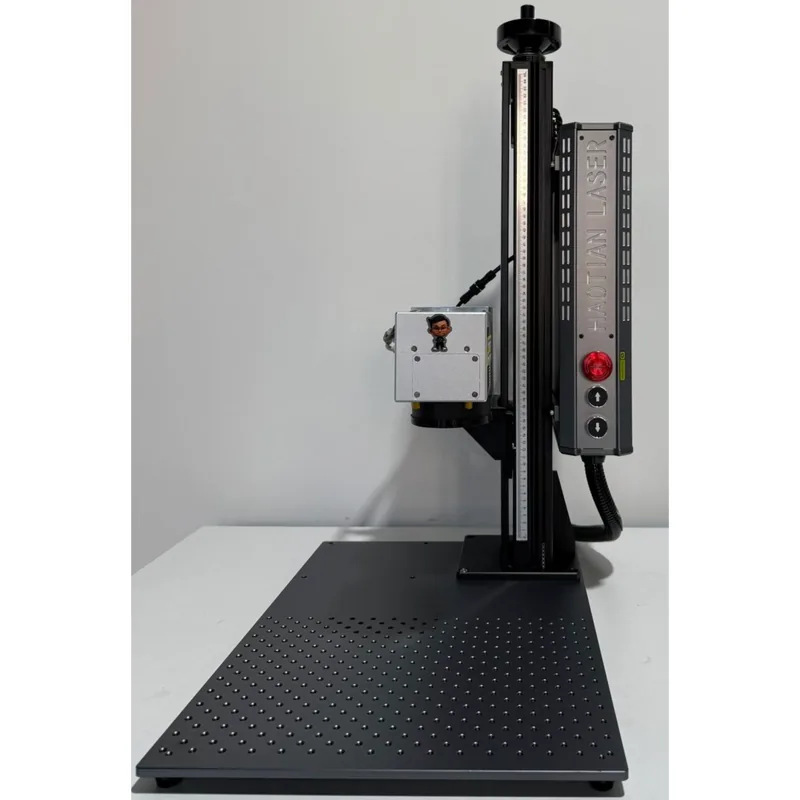
Haotian 50W JPT M8 MOPA Fiber Laser
4.9The 60W JPT M7 source is the colour-marking benchmark. Deepest engraving of the three MOPA picks.
- 60W JPT M7 MOPA source
- Full colour marking on stainless
- 1-500ns adjustable pulse width
- Deep engraving and annealing in one machine


